Google AI Studio Review 2026: I Built a Real AI Business App (Here’s What Happened)
This is a first-hand review. The sections marked My experience describe what I actually did while building LaunchMatch. The sections marked Researched come from Google’s own documentation, which I checked in October 2026. Google changes its products often, so check the linked pages before relying on any detail.
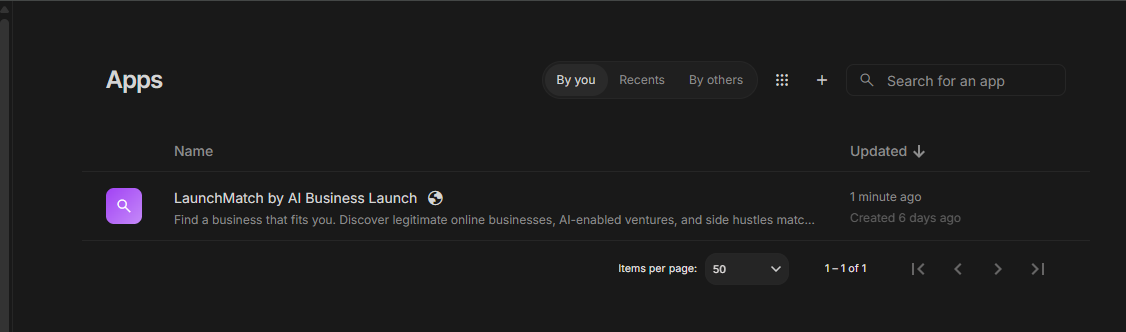
I wanted my website to offer something more useful than another list of business ideas. That led to LaunchMatch, a free tool that suggests online business ideas based on your answers to a short set of questions. I built it with help from two AI tools: ChatGPT for planning, and Google AI Studio for building the app itself. I’m not a programmer.
This Google AI Studio review covers what worked, what took extra effort, and whether I think it’s worth trying if you want to build an AI app without coding.
Want to see the result first? Try LaunchMatch free. It takes a few minutes and you don’t need an account.
What Is Google AI Studio? (Researched)
Google AI Studio is Google’s free-to-start workspace for building with its Gemini AI models. The part I used is called Build mode. You describe the app you want in everyday language, and AI Studio writes the code and shows a live preview beside it. Then you keep asking for changes in plain English.
According to Google’s Build mode documentation, it can create full web apps and native Android apps. It also has an annotation mode, where you highlight part of your app and describe the change you want. If you need ideas, there’s an App Gallery of example projects you can copy and adapt.
Why I Built LaunchMatch (My Experience)
AI Business Launch is about helping everyday people find practical ways to use AI to start an online business. I wanted to build something genuinely useful, not just another site that promotes affiliate products.
The idea for LaunchMatch came out of conversations with ChatGPT. The question was simple: what if someone could answer a few questions about their situation and get personalized suggestions for businesses they might realistically start?
I had specific people in mind: complete beginners, people with little money to start, people starting over later in life, and anyone unsure what kind of business would suit them. Instead of making them scroll through dozens of unrelated ideas, LaunchMatch would help narrow things down.
Why I Chose Google AI Studio (My Experience)
I wanted to build LaunchMatch without hiring a software developer or spending a lot of money upfront. Google AI Studio let me try generating an app from plain-language instructions, so it seemed like a good place to start.
I approached it as an entrepreneur, not a programmer. The question I wanted to answer was whether AI could help turn an idea into a working product.
The two tools did different jobs:
- ChatGPT helped me develop the concept, organize the questionnaire, write down what the recommendations needed to include, and think through the visitor’s experience.
- Google AI Studio generated the app’s logic and built it from those plain-language instructions.
Planning Came First (My Experience)
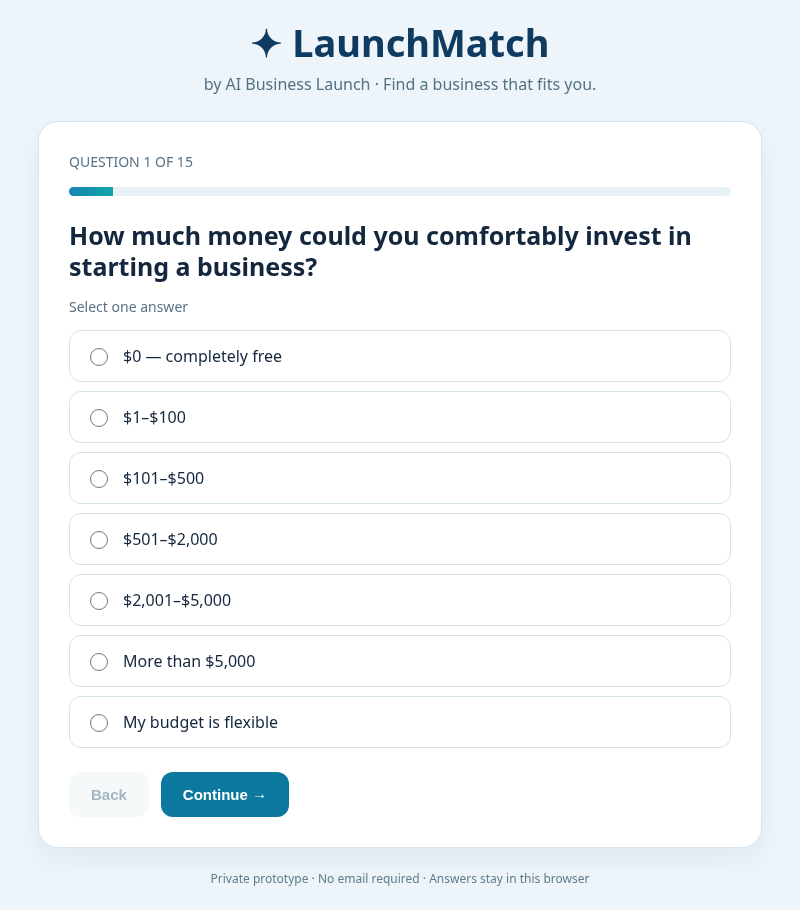
Before building anything, I spent time deciding what LaunchMatch should ask. I wanted enough information to give meaningful suggestions without making the quiz tiresome. The questions cover things like:
- Startup budget, from $0 up to larger budgets
- Available time, from under five hours a week to full-time
- Interests, skills and past experience
- Goals and comfort with risk
- Comfort with selling and marketing
- Preferred kind of work and willingness to learn new skills
I deliberately included broad answers like “All categories” and “All options,” so nobody gets pushed into a choice that doesn’t fit them. I also didn’t want the tool recommending expensive businesses to someone with little or no money to start.
Takeaway: AI can build what you describe, but you still have to decide what to describe. Most of my early work was thinking, not building.
Building the App in Google AI Studio (My Experience)
Once the plan was ready, I used Google AI Studio to generate LaunchMatch. That was the point where it stopped being a conversation and became something I could actually click through.
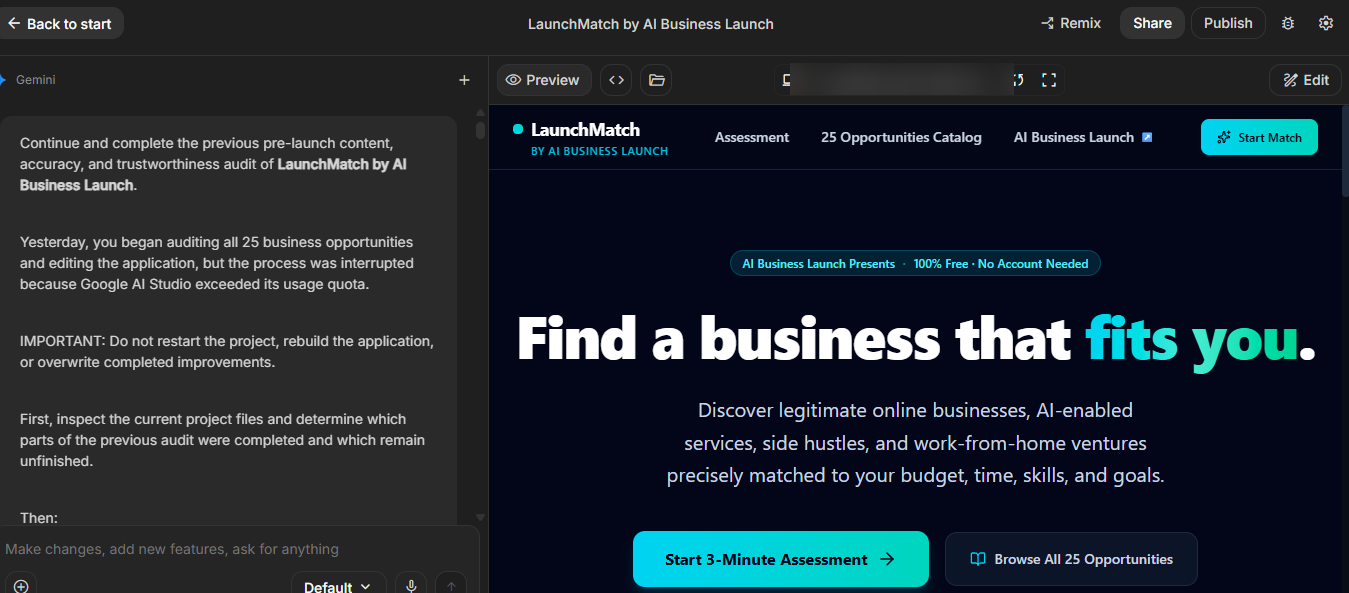
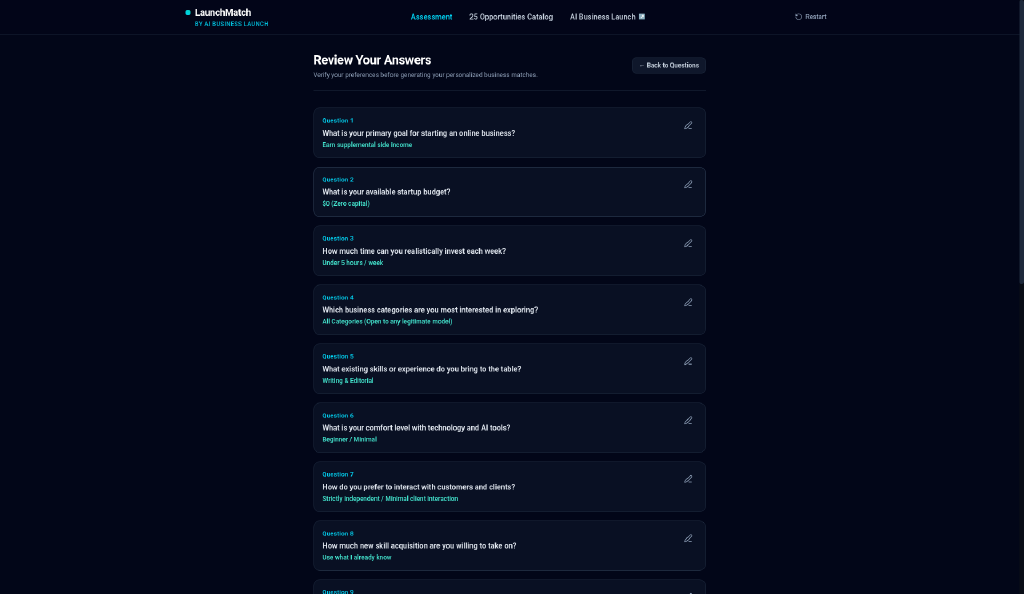
The biggest advantage was describing changes in ordinary language instead of writing code. If I wanted a question reworded or the results laid out differently, I could just ask for it.
It wasn’t one instruction and done, though. I reviewed what was generated, checked how the questions behaved, and refined things over several rounds. There were real decisions, adjustments and testing involved.
The recommendation part
Showing questions was the easy part. The real goal was to suggest three business options that fit each person’s answers. I wanted every suggestion to explain why it might fit, along with startup costs, time needed, skills required, possible challenges, useful tools, and a 30-day plan.
The plan follows four simple stages: Week 1, Validate (check whether real demand exists), Week 2, Build (set up the basics or a first offer), Week 3, Test (reach potential customers and get feedback), and Week 4, Launch (improve and promote more consistently). I didn’t want to tell someone to “start a business” without showing them what the first steps look like.
The Parts That Took Extra Work (My Experience)
Getting affiliate links right
AI Business Launch has some affiliate and referral partners, and I wanted LaunchMatch to suggest useful software when it genuinely fits the visitor’s needs. Getting those links right took care. An affiliate link carries tracking details that identify who referred you. If those details get dropped or changed, the referral may not count. I went back and corrected links during development and checked that each one went where it should.
Takeaway: building the app is one job. Connecting it properly to a business is another.
Exporting and working outside AI Studio
I also exported the app’s files, saved them, and worked with them outside AI Studio, including re-uploading files and sorting out implementation details. This showed me that a working prototype isn’t the same as something ready for the public. There can still be work on hosting, connecting it to your website, checking links, testing, layout, how it looks on phones, and ongoing upkeep.
Usage limits
Usage limits were part of how I evaluated AI Studio. Something that works fine while you’re testing it can hit a quota once you start running bigger jobs, and I ran into exactly that, as described below.
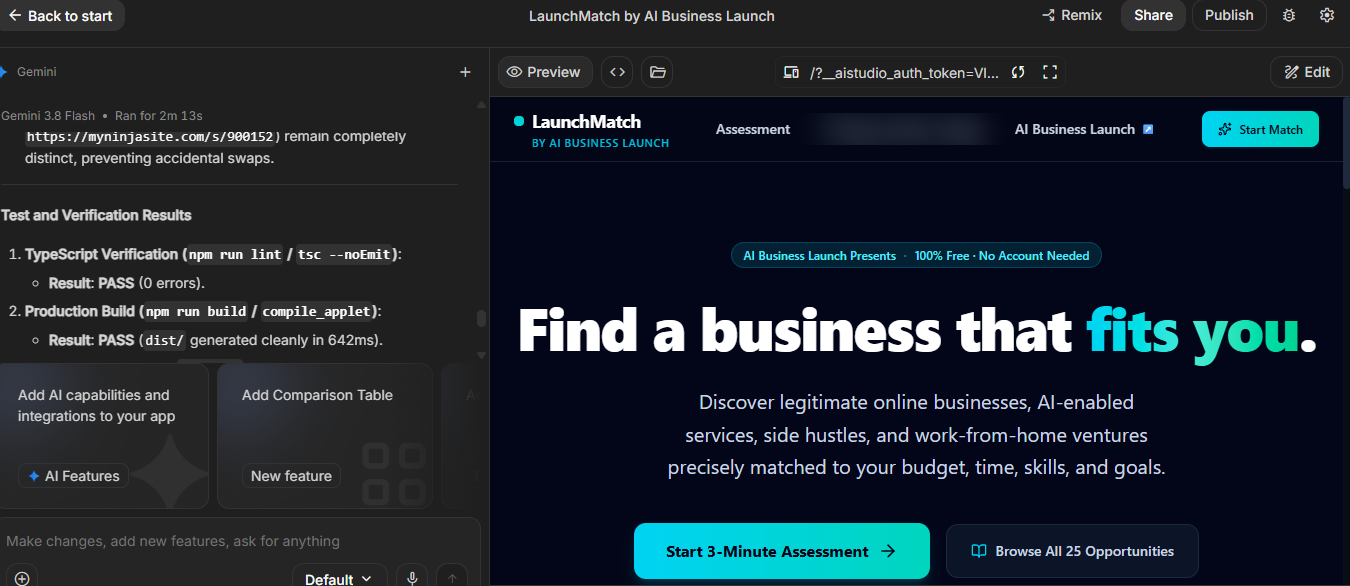
One real limit I ran into: partway through a big accuracy check of all 25 business opportunities in LaunchMatch, Google AI Studio hit its usage quota and stopped. The next day I picked it back up and told Gemini not to restart or overwrite what was already finished, and it carried on from there. If you’re building something bigger, expect to work in sessions like this.
Is Google AI Studio Free? How Sharing and Publishing Work (Researched)
This is the most common question, and the honest answer is: free to start, with limits. Here’s what Google’s documentation said when I checked:
- Building and testing: new accounts start on a free tier with usage limits on certain models. Higher limits and advanced models need a billing account (Gemini API billing).
- Sharing: apps are private by default. You can share one with specific people, but they can see its code and make their own copy. The AI usage from a shared app counts against your limits.
- Publishing: the Publish button puts your app on Google Cloud with a public web address. Eligible accounts can publish up to two apps on a free “Starter Tier” without a credit card (Deploying from Google AI Studio).
- The catch: Google Workspace accounts (including business email accounts) and anyone who has ever had a paid Google Cloud billing account aren’t eligible for the Starter Tier. They need to attach billing to publish.
- Your key stays hidden: Google says your Gemini key is stored on the server side and isn’t exposed to people using the app.
For what it’s worth, I built LaunchMatch on a regular Gmail account, not a Google Workspace account.
So no, it isn’t free for every possible use, and it won’t remove every cost. For trying out an idea, though, the barrier is low.
What LaunchMatch Does Today
The live LaunchMatch page currently says you answer 15 questions, and the tool weighs 25 online and AI-enabled business opportunities to find your top three matches. Each match covers startup costs, possible challenges, suggested tools, and a 30-day action plan. It’s free and doesn’t require an account.
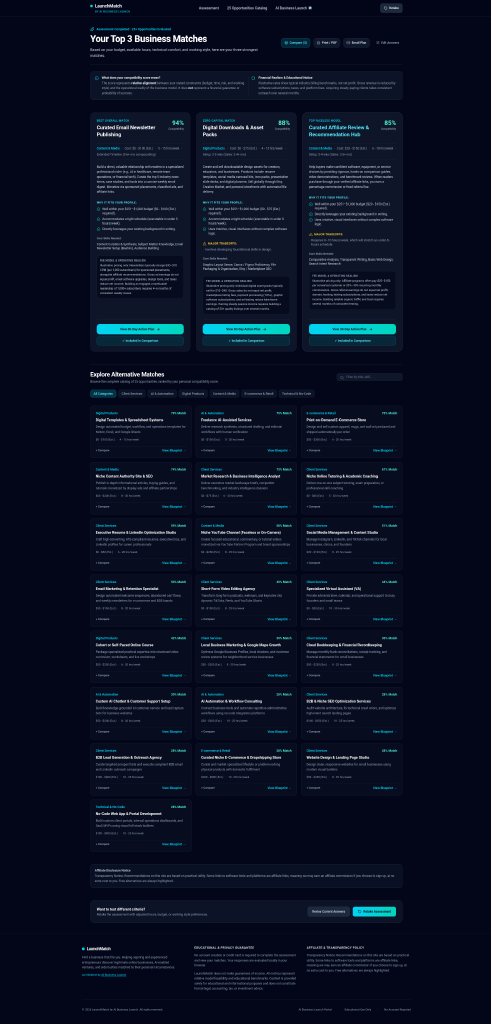
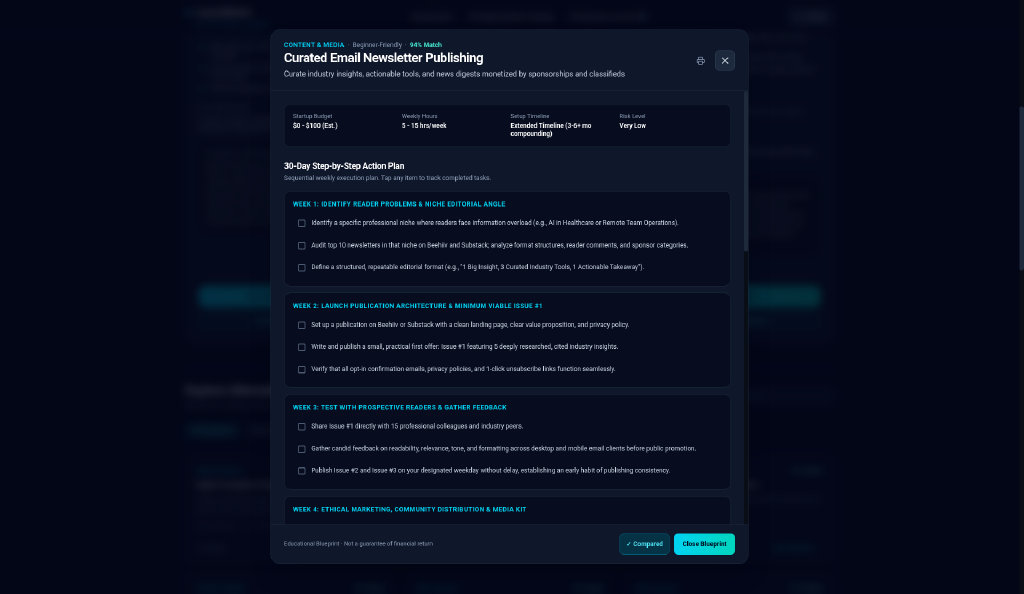
I’ve also built a more detailed prototype with longer explanations and roadmaps, so what you see live may change as I keep improving it.
Pros and Cons of Google AI Studio
The pros and cons below are my own impressions from building one app, not measured benchmarks. The pricing facts come from Google’s docs.
| Pros | Cons |
|---|---|
| Speed: I got from an idea to something I could click through much faster than I could have by learning to code. | Planning is still on you: AI can’t decide what your app should do. |
| Plain language: I described what I wanted in everyday words. | First drafts need work: I had to review and refine what it produced. |
| Flexible: I could keep changing questions, matching logic and features as my ideas grew. | Business details take care: links and tracking need checking by hand. |
| Low-risk to try: I could test the idea before spending real money on development. | Publishing is extra work: a prototype isn’t a finished, maintained public app. |
| Opens new doors: it showed me AI can build tools, not just write articles or make images. | Limits and privacy: usage limits, costs at scale, and protecting visitor data all need checking. |
Who Should Try Google AI Studio?
- Good fit: beginners and small business owners who have a clear idea for a simple tool, such as a quiz, calculator or planner, and are willing to test and adjust it.
- Good fit: anyone who wants to try an app idea before paying a developer.
- Maybe not yet: people who want a finished product from one prompt with no testing, or anyone planning to collect sensitive customer information without proper safeguards.
If you’re still deciding what business to start, begin with our AI business ideas for beginners or our guide to starting an AI business with no money. For other beginner tools, see our AI tools guide.
What’s Next for LaunchMatch (My Experience)
I plan to keep improving it: sharper recommendations, more personalization, better roadmaps, more business categories, links to free and paid resources, a better experience on phones, an optional email signup, and closer ties to the articles on this site.
Want to see another tool I use? Read my Grok Bot review.
Frequently Asked Questions
Do I need to know how to code to use Google AI Studio?
No. I’m not a programmer, and I built LaunchMatch by describing what I wanted in plain language. You still need a clear plan, though, and patience for testing and fixing things.
Is Google AI Studio free in 2026?
It’s free to start, with usage limits. Eligible personal accounts can publish up to two apps on Google’s free Starter Tier. Workspace accounts, and accounts that have paid for Google Cloud before, need billing. Check Google’s current terms.
Can Google AI Studio build a whole app from one prompt?
It can build a working first version quickly. In my experience, getting it right took several rounds of review and changes, plus extra work outside AI Studio.
Can people see my app’s code if I share it?
According to Google, yes. People you share an app with inside AI Studio can see its code and make a copy.
Did AI do all the work?
No. ChatGPT helped me plan and AI Studio generated the app, but I made the decisions, tested it, fixed the links and connected it to my website.
My Overall Verdict
Building LaunchMatch has been a learning experience for me. Google AI Studio isn’t a one-click magic button. It took planning, experimenting, troubleshooting and a lot of decisions. Still, it let someone without a programming background turn an idea into a real tool on a real business website. If you’re a beginner willing to work through a learning curve, you can get more done than you might expect.
If you have an idea for a simple app, Google AI Studio is worth exploring. Just be prepared to experiment, learn and make adjustments along the way.
See what I built: Take the free LaunchMatch assessment and get three business ideas matched to your budget, time and interests.

About Michael
Hi, I’m Michael Giles. I’m 50, and I’ve always loved learning about technology from a user’s point of view. I’m not a programmer. I’m an entrepreneur who builds real business tools with AI, like LaunchMatch. On AI Business Launch I share what I learn along the way, both the wins and the parts that took extra work, so beginners can get started without the hype.
Try LaunchMatch Free